

Reply classification
Runline classifies every inbound reply into exactly one of your categories using a hybrid approach:- Auto-responder headers — out-of-office/vacation/bulk mail is detected from RFC headers (Auto-Submitted, X-Autoreply, Precedence, Return-Path) before anything else.
- Keyword rules — each category has editable keywords. A word-boundary match classifies the reply without an AI call. When several match, a fixed precedence wins (Unsubscribe → Auto-Responder → Not Interested → Wrong Person → Budget Pending → Call Scheduled → Interested), so “I’m not interested” can never resolve to Interested.
- AI fallback — anything unmatched is classified by Runline AI, validated against your exact category set. An unrecognised label falls back to Unclassified and is routed to Untracked — never written to your CRM.
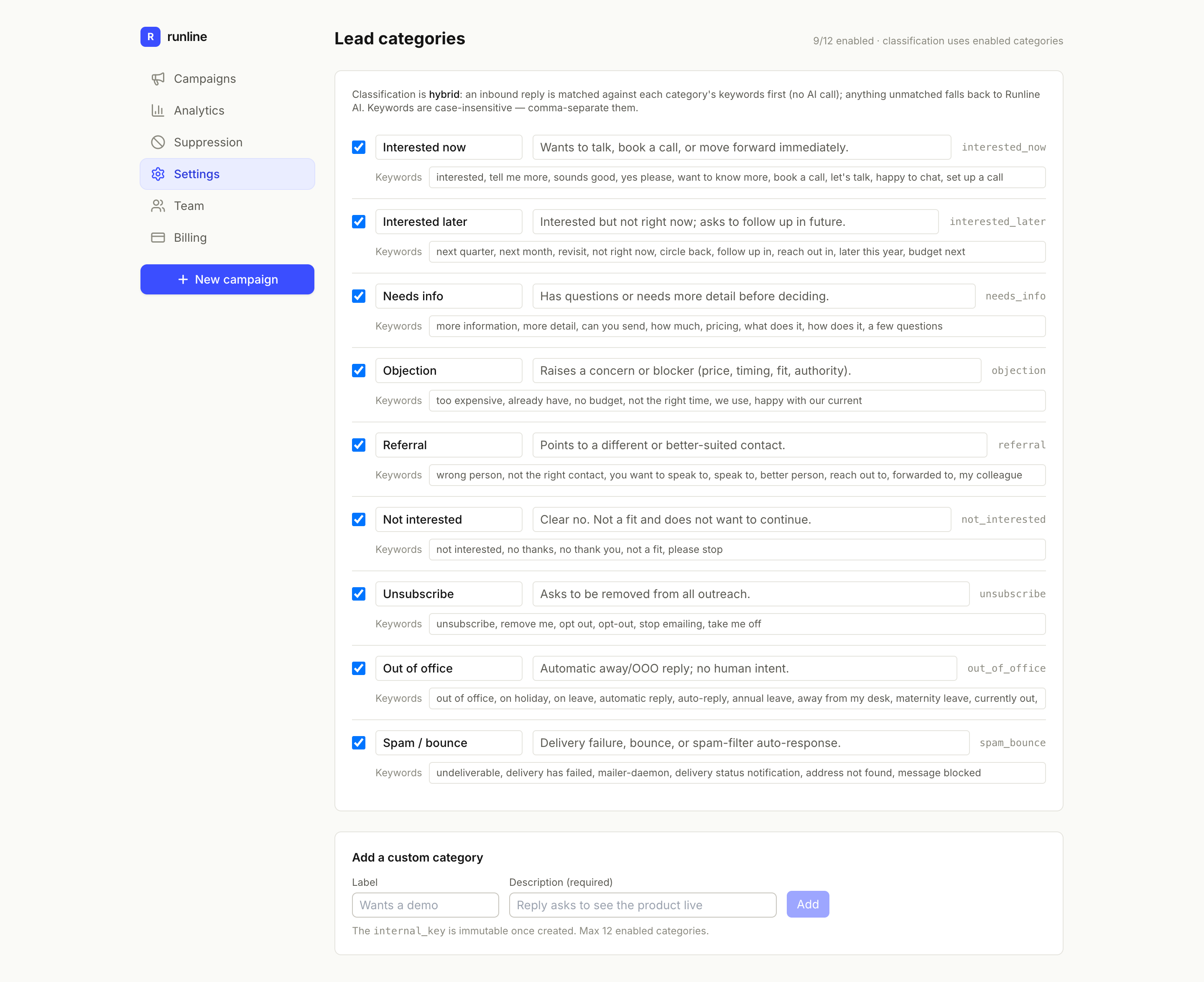
Lead categories — edit each category's keywords; unmatched replies fall back to Runline AI.