

Outgoing webhooks (master guide)
Fire an HMAC-signed HTTP POST to your own endpoints on key events. Included on every plan.Events
reply.classified— a reply was classifiedlead.stage_changed— a lead moved pipeline stageemail.sent— an approved email was sentlead.untracked— a reply needs review (Untracked)
Set up
- Settings → Outgoing webhooks → Add a webhook.
- Paste your endpoint URL and select events.
- Copy the signing secret — it is shown once.
- Use Send test to fire a signed sample delivery, then check the delivery log.
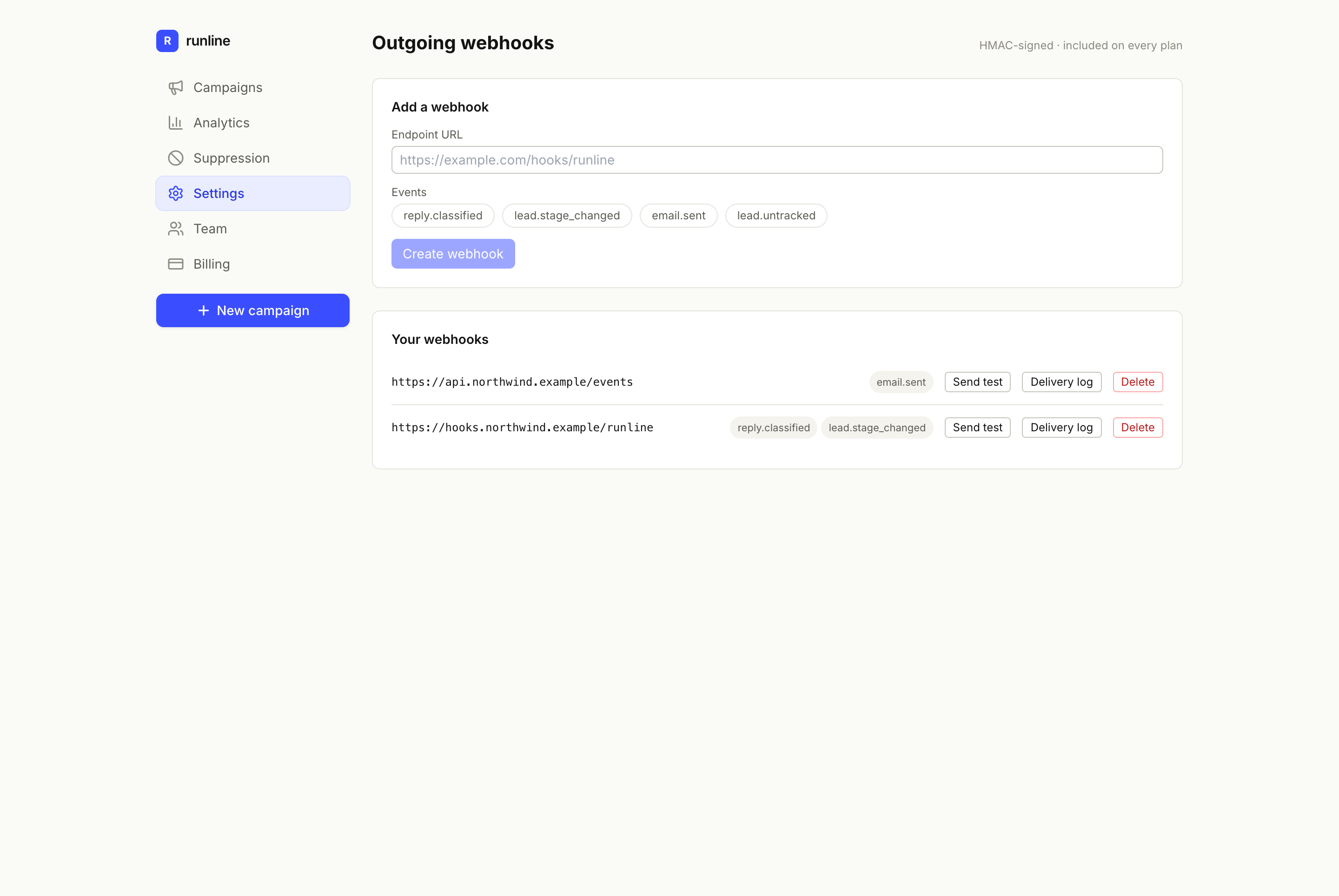
Outgoing webhooks — add an endpoint, pick events, send a test, and review the delivery log.
Payload & signature
The body is JSON:{ "event": string, "data": { ... } }. Each request carries:
Runline-Event: the event nameRunline-Signature: HMAC-SHA256 of the raw body, keyed by your secret
Delivery & retries
Deliveries are retried on failure (1m → 10m → 1h → 6h) and dead-lettered after 5 attempts. The delivery log shows status, attempts and next retry for each event.Troubleshooting
- Signature mismatch → sign the raw body bytes, not a re-serialised object.
- Deliveries failing → your endpoint must return a 2xx; check the log for the status.