

Connect your first tool

Every integration lives under Settings. Connections are one of three kinds:
  • API key / token — paste a key (Apollo, Instantly, Smartlead, Pipedrive, Attio, prospecting sources).
  • OAuth — click connect and approve (HubSpot, Gmail, Outlook, Google Workspace sending).
  • Webhook URL — paste an incoming webhook (Slack, Teams, Discord).
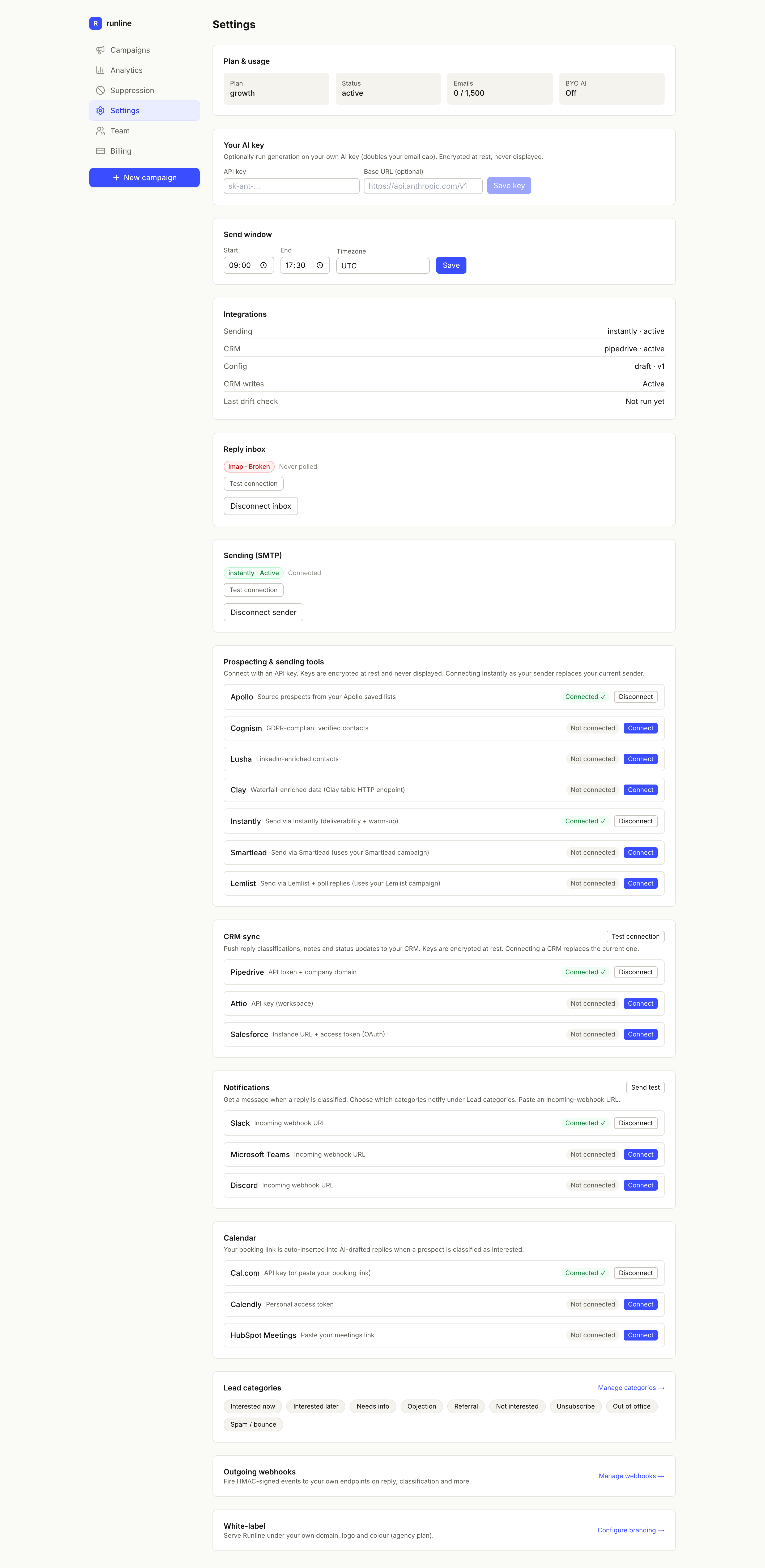
Every integration is managed from the Settings catalogue:
Runline Settings screen showing the integrations catalogue: prospecting and sending tools, CRM sync, notifications and calendar, each with connect or disconnect controls.

The Settings integrations catalogue — connect a tool in each category.
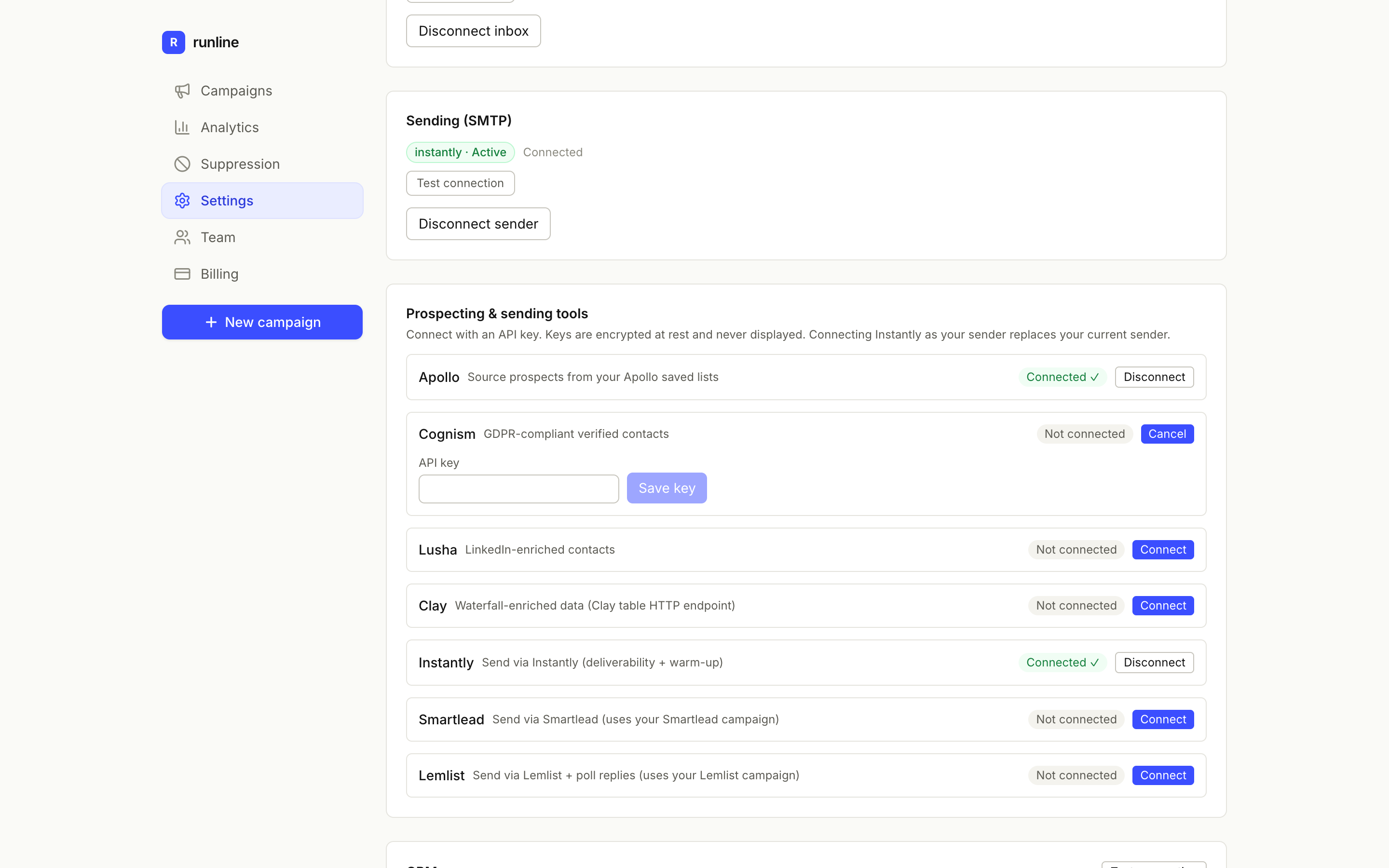
To connect a key-based tool, click Connect on its row and paste the key:
A prospecting tool row expanded to show an empty API key field and a Save key button.

Connecting a key-based tool — paste the API key and save.

Keys are encrypted at rest and never displayed again. Most integrations offer a Test connection button and a Disconnect action. Start with a sender and an inbox — that’s the minimum for the classify loop to run.